Aimersoft Studio provides
Professional DVD Ripper, DVD Creator, DRM Media Converter and Video Converter
Live Sales
Home > Products > Aimersoft Video Converter Ultimate for Mac
Get Windows Version

Video Converter Ultimate for Mac

Aimersoft Video Converter Ultimate for MacPrice: $69 $54.95

The Ultimate Video Management Tool for Mac

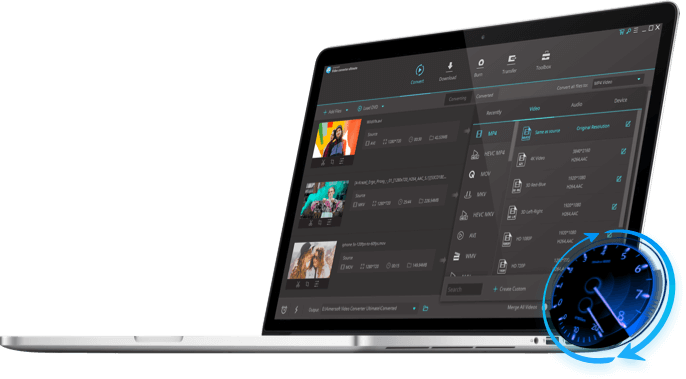
Aimersoft Video Converter Ultimate for Mac is an sleek, intuitive and insanely fast all-in-one Video/Audio Converter, DVD Ripper, DVD Burner, Web Video Downloader, and Device Transfer system for Mac OS X. An all-in-1 solution for novices and professionals alike, Video Converter Ultimate lets you :

  • Download, edit and convert to and from any standard or HD video format
  • Rip, copy, edit and burn DVDs while preserving original DVD quality
  • Rip, edit and convert your favorite audio from videos and DVDs;
  • Save and Transfer media files to any portable device, including iPhone, Android, etc.
  • Convert 2D video in AVI, MP4, MOV, M4V, MKV etc. to 3D to create your own 3D world

Requirements: Mac OS X 10.5 , 10.6 or 10.7 (Lion)

You may need Video Converter Ultimate for Windows >>


Video Converter Family

Compare Versions>>

Convert video and audio between any formats.

Convert video, Convert audio, Rip DVD.

Download, Convert and Transfer video; Rip, Copy and Burn DVD.

  • Overview
  • Features
  • References
  • User Guide

Video Converter Ultimate for Mac


System Requirement

Mac OS X 10.5,10.6 or 10.7
1G Hz Intel processor
At least 512M physical RAM

User Review

"I'm really surprised with the results brought by this program. Amazing! Thank you so much for creating such powerful and effective software."— Jonathan Foster

Awards

Download/Edit/Convert Video & Audio

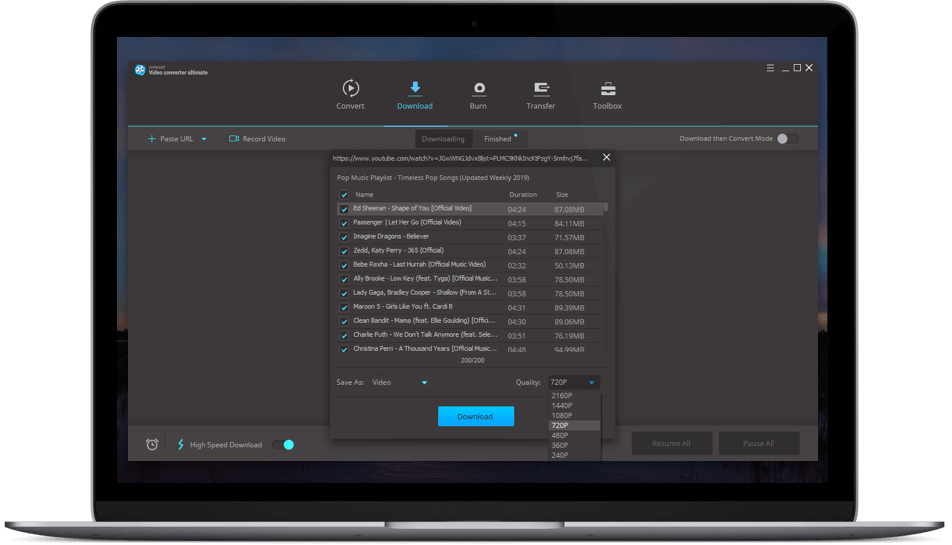
Directly Download Web Video

Video Converter Ultimate automatically detects any downloadable videos playing in your web browser. Once detected, download with a click.

Edit Video & Audio with Full Features

Trim video and audio clips, crop frame size, merge videos, add effects, subtitles and set brightness, contrast and saturation.

Convert Video & Audio in High Quality

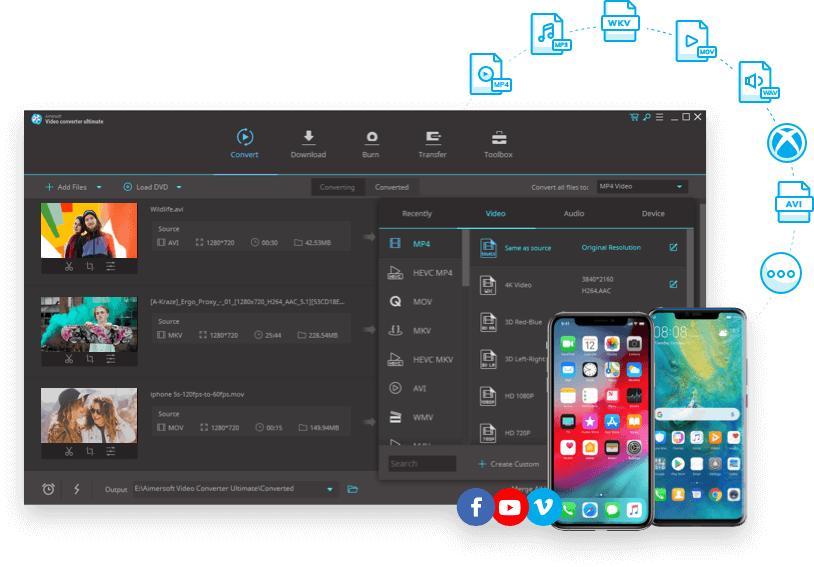
Quickly convert virtually any video file to all popular video formats including AVCHD MTS/M2TS, TS, HD MKV, HD WMV, HD MOV, SD WMV, MP4, AVI, MOV, MPEG, FLV, etc. and audio formats with in high quality.

Create a Mac 3D world with 2D!

-Convert any 2D video to 3D on your Mac. Aimersoft Video converter ultimate for Mac allows you to create your own 3D masterpiece with normal videos in AVI, WMV, MKV, FLV, MP4 etc.

-Highly compatible with YouTube 3D movie channel so you can share your own 3D videos.

-Create 3D movies on your own to play on those main 3D media players like.

-Allow you to watch 3D videos with your polarization glasses, shutter technology, or anaglyph 3D glasses.

Rip DVD, Burn DVD and Copy DVD

Rip DVD to Any Video & Audio

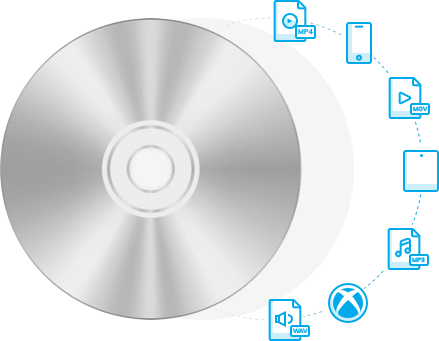
The Mac Video Converter lets you to rip DVD to any video and audio formats and transfer it to all your pods, pads, phones,etc. for viewing whenever and wherever.

Burn Local or Web Video to DVD

Select Burn DVD and drag the downloaded web videos or others to burn videos to DVD.

Backup DVDs Even with Encrypted

Simple to copy and backup DVD or DVD files like Video_TS, ISO, and .dvdmedia to a new DVD disc for better saving or easier viewing on home DVD players.

Save, Share and Transfer

Save the Converted Files to the Local

All the converted files can be free to save any directory as you wish. And you can you're your works into iMovie, iDVD, Final Cut Pro, iTunes, QuickTime, VLC Player, etc.

Easy to Share Your Converted Works

Convert the video or audio that embarks your favorites or happy memories to every format and then send them to your friends without worrying about the formats.

Transfer to All Portable Devices Freely

Free to transfer the converted files into portable devices like iPad, iPod Touch 4, iPhone 4, Android Phones, iPod, PSP, Xbox 360, BlackBerry, Smart Phone, etc.

Share video online much easier

With some web video presets offered, you now can directly convert video to YouTube, Vimeo, Facebook, Twitter and more for your share.

Easy and User-friendly Design

Easy to Load Files

Easy to load all your videos, movies, music, and DVD files from your local Mac with the preset Media Browser directly connect with your local media directories.

Clear and Vivid Interface

With the three vivid thumbnails for each output options, you can enter the main interface for your needs easily with a single hit.

User-friendly Design

Video Converter Ultimate lets you convert video, audio, or rip, copy and burn DVDs in less time.


Version 2.5.2, released on Feb 15, 2012

  • Fix some bugs.

Supported Input Formats

DVD DVD disc, DVD Files(VIDEO_TS Folder, ISO, dvdmedia)
SD Video MP4, AVI(XviD), ASF, WMV(Windows Media Video), MPG, MPEG-1, MPEG-2, FLV(Flash Video), 3GP, 3GPP, MOV(QuickTime), MKV , TS (MPEG-2), M4V(without DRM), VOB, TP, TRP, RMVB, DivX etc.
HD Video HD MKV (H.264, MPEG-2), HD WMV (VC-1), MTS (AVCHD, H.264), M2TS (AVCHD, H.264), MOD (MPEG-2), HD TOD (MPEG-2), HD MOV (MPEG-4, H.264), etc.
Audio MP3, M4A, WAV, M4R, AAC, OGG, AC3, APE, MKA, AU, FLAC, CAF, SD2, AIFF

Supported Output Formats

DVD DVD disc, DVD Files(VIDEO_TS Folder, ISO, dvdmedia)
SD Video MOV(QuickTime), M4V, MP4, WMV, AVI(XviD), ASF, MPG, MPEG-1, MPEG-2, FLV, F4V, 3GP, 3G2, MKV , TS (MPEG-2), VOB, SWF, DV
HD Video HD MOV, HD MPEG, HD MP4, HD TS, HD TRP, HD M4V, HD DivX
Audio MP3, M4A, WAV, M4R, AAC, OGG, AC3, APE, MKA, AU, FLAC, CAF, SD2, AIFF
Apple Devices iPhone Video(*.mp4), iPhone Video 4(*.mp4), iPod Touch(*.mp4), iPad(*.mp4), Apple TV
Other Devices PSP AVC Video (*.mp4), Archos Player Video(*.avi), Creative ZEN Player Video(*.avi), Zune Video(*.wmv), PS3


Aimersoft Video Converter Ultimate for Mac permits you to do whatever you want to your media files, including video & audio converting, video downloading, DVD ripping, DVD burning, DVD backing up and files transferring.

Learn detailed user guide of Aimersoft Video Converter Ultimate for Mac

Below is the simple instruction on how to use Video Converter Ultimate for Mac in three parts:

Load, Edit, Convert and Output Video
Burn and Copy DVD
Load, Edit, Convert and Output Audio

To start each of part, please select an option according to your output needs.

Video Converter Ultimate for Mac

Load, Edit, Convert and Output Video

Step 1. Load Video Sources

They can be loaded from your local, your web video download history, and your DVDs.

Step 2. Edit Video

You can do some simple editing like trimming, cropping, effects adjusting and so on to your videos just as you please.

Step 3. Convert and Output Video

Select a proper output format according to your needs to save the converted videos. (2D to 3D conversion included)

Convert Video

Load, Edit, Convert and Output Audio

Step 1. Load Audio Sources

You can extract and convert your favorite audio from all the local videos, DVDs, and audio files.

Step 2. Edit Audio

Trim the audio to get the exact part that you want.

Step 3. Convert and Output Video

Select an output format as you please to save the converted audio files.

Convert Audio

Burn and Copy DVD

Option I Burn DVD

Step 1. Load Files

Load videos or DVD files from your local, your web video download history.

Step 2. Edit Files before Burning

Edit your files with the simple editing functions like trimming, cropping, rotation, adjusting and so on.

Step 3. Burn Videos to DVD

Click the Burn button to start burn videos to DVD after finished your preferred settings.

Burn DVD

Option II Copy DVD

Step 1. Load DVD or DVD Files

Insert your DVD movies into the program

Step 2. Select an Output Mode

Select and output mode from DVD Disk, DVD Folder, .dvdmedia, and ISO File to copy your DVDs.

Copy DVD