Aimersoft Studio provides
Professional DVD Ripper, DVD Creator, DRM Media Converter and Video Converter
Live Sales
Chat with us for quick purchase
Chat with Online Sales for more information before you purchase.
If you have already made a purchase
Log in to Support Center to track progress or request help through Contact Support Team.
Home > Products > Aimersoft DVD Creator for Mac
Go to Windows Version

Aimersoft DVD Creator for Mac

Aimersoft DVD Creator Price: $49.00

Burn Baby, Burn. Virtually Any Video to Disc at Top Speed.

Aimersoft DVD Creator for Mac is a combination blazing-fast DVD Burner and intuitive video editing studio. Create original Rapidly burn videos and photos to DVD on Mac in . Various menu templates with more customized settings will bring you absolutely customized DVD.

  • Create DVD slideshows from pictures and home digital photos with music
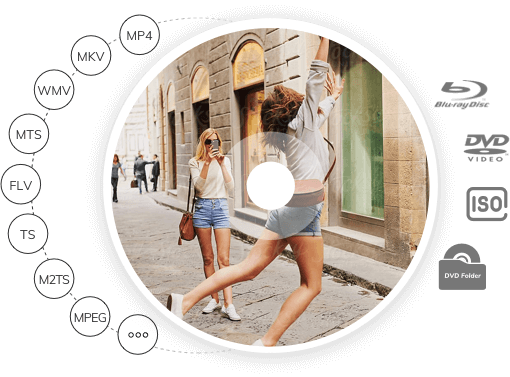
  • Burn all SD (MP4/AVI/MOV...) and HD (TS/M2TS/TRP...) videos to DVD on Mac
  • Add-on Media Browser facilitated local files (iMovie/iPhoto/iTunes…) loading
  • All the loaded video, background music, DVD menus template… are customizable

Requirements: Mac OS X 10.5 , 10.6 or 10.7 (Lion)

You may need DVD Creator for Windows >>

What's New

Latest Version 3.6.0
Solve the problem of displaying Photo Booth in Media Browser in Mac OS X 10.7( Lion).
Change the brand copyright to "Copyright © 2011 Aimersoft Studio. All Rights Reserved."

System Requirement

Mac OS X 10.5, 10.6 and 10.7(Lion)
1G Hz Intel processor
At least 512M physical RAM

Key Features

Convert Various Video to DVD

Convert Various Video to DVD

Vacation videos, graduation videos, travel videos, wedding videos, baby born videos and any other family or homemade videos, as well as all the online downloaded videos in all popular SD or HD formats like AVI, MP4, WMV, MOV, MPEG, AVCHD, etc. can be easily burn to DVD on Mac.

Burn Photos, Slideshows to DVD

Burn Photos, Slideshows to DVD

Unlike other DVD burners, DVD Creator for Mac also lets you build fabulous slideshows with your favorite photos, then burn them to DVD with background music, voiceovers credits, captions subtitles a DVD menu and much more. Its an excellent way to share your cherished photos and video clips with friends and family.

Necessary Editing to Videos

Editing and Touch-up Video

Besides to burning various formats video to DVD, Aimersoft DVD Creator also offers some necessary editing functions to meet your necessary video editing needs. Such as crop, trim, adjust effects, add watermark, or rotate the added movies, videos, slideshows as you preferred.

Create Personalized DVD Menu

Create Personalized DVD Menu

A professional DVD needs distinctive DVD menu. Aimersoft DVD Creator for Mac provides various dynamic and static DVD Menu templates featured in Nature, Holiday, Cartoon, etc. with customizable frame, play button, title names, background music and pictures.

More Features

Handy Management

Handy Management

The Add-on Media Browser greatly facilitated the files loading from local directory like iMovie, iPhoto, iTunes, etc.

Multiple Choices

Multiple Choices

You are free to burn videos to DVD disc or just save them onto your hard drive as DVD folder, .dvdmedia or ISO File.

Personal Settings

Personal Settings

Users can save the DVD menu templates they liked as their favorite item for convenient search for the next time

Easy to Use

Easy to Use

Simple and user-friendly interface makes all the video editing and burning can be easily finished at your finger tips.

Reference

Supported Input Formats

Video: MP4, FLV, AVI, VOB, 3GP, 3G2, MOV, F4V, M4V(without DRM), MPG, MPEG, TS, TRP, M2TS, TP, DAT,WMV, MKV, ASF
Image: PNG, JPG, TIFF, BMP, JPEG.

Supported Output Formats

DVD: DVD Disc, DVD Folder, ISO.